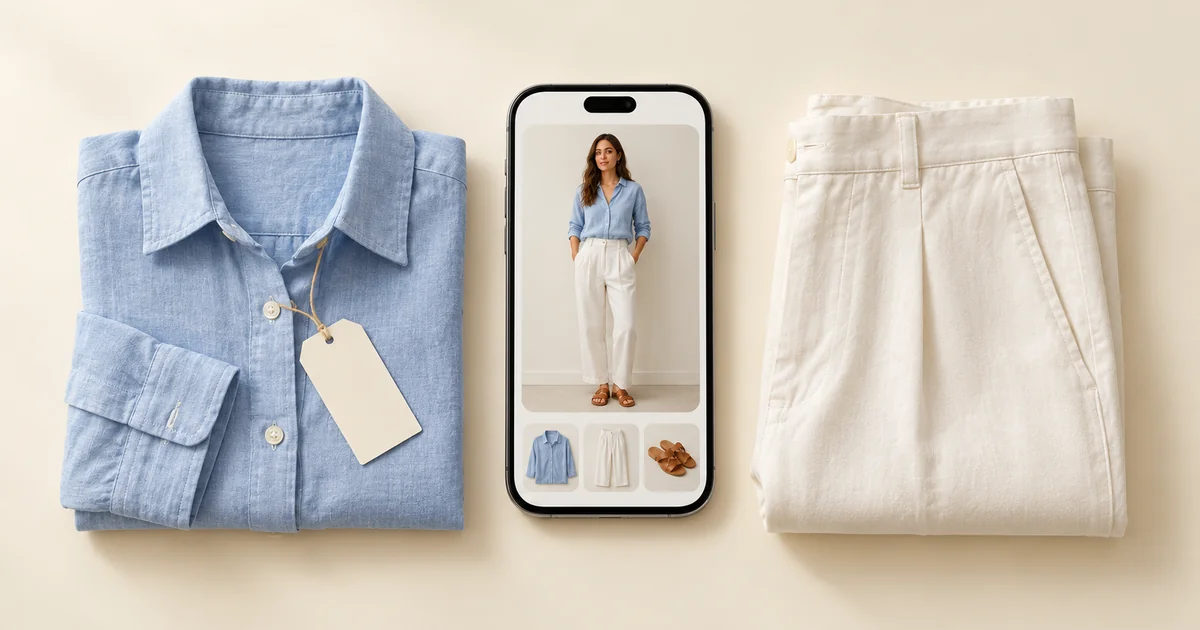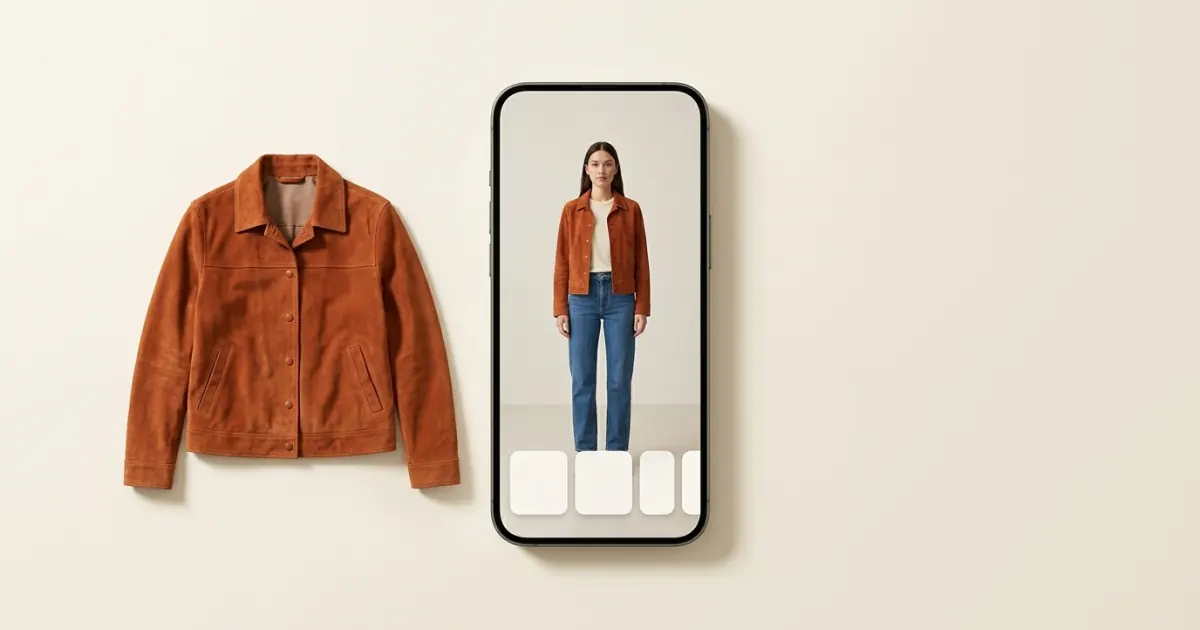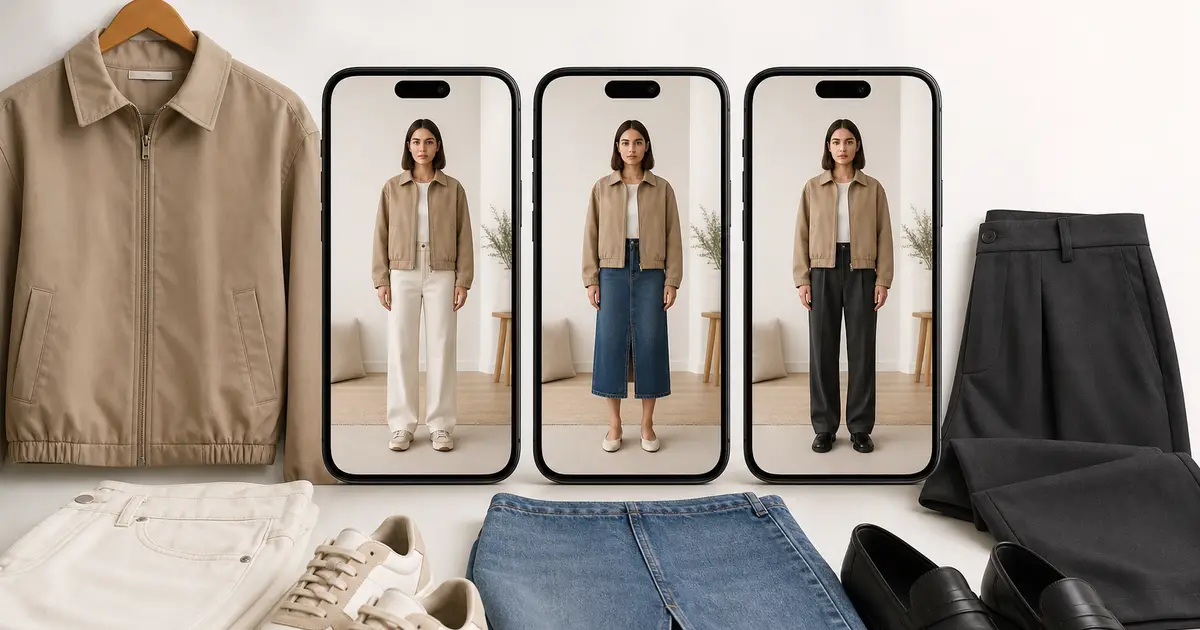

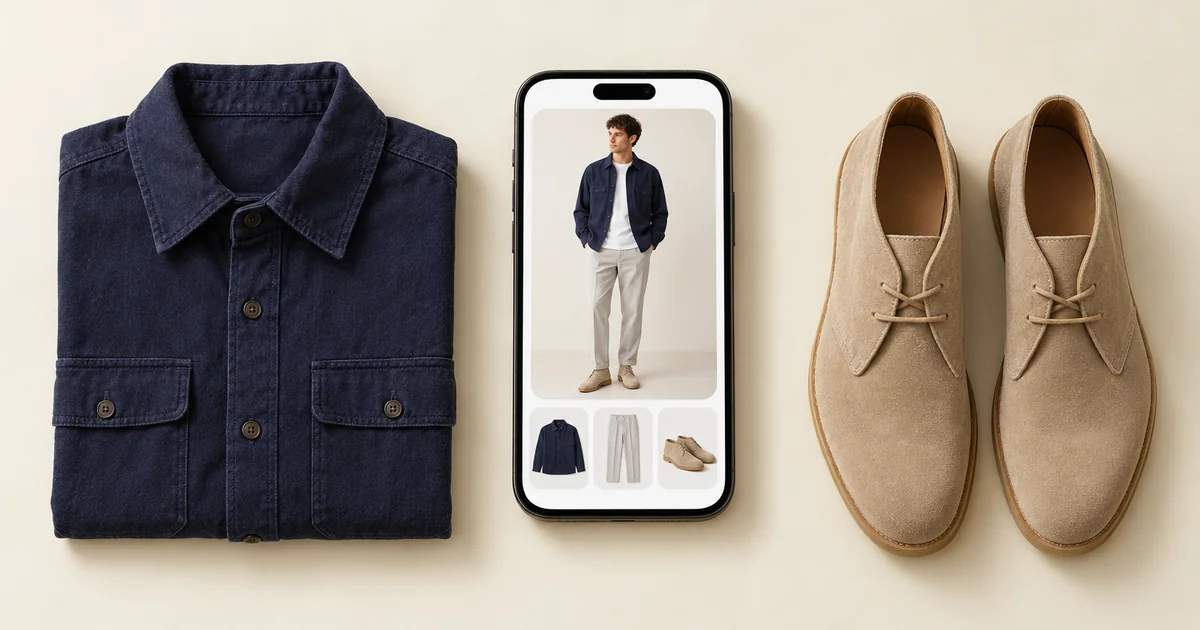
The best AI stylist app in 2026 is Wdrobe for most people: it builds outfits from your own clothes for your weather, styles around a piece you pin, and shows the result on your own photo. Alta suits people who want daily outfit ideas on an avatar, Acloset suits chatting with a stylist about your closet, Indyx suits people who want a human stylist too, and Whering suits organising with light styling help.
The difference between them comes down to one thing: what the "stylist" actually does. Some suggest outfits from clothes you own. Some show those outfits on you. Some connect you with a person. Features below were first checked against each app's own listing in September 2026, and the styling apps' App Store listings were checked again on 27 October 2026.
Wdrobe is one of these apps and it is ours, so read our top pick with that in mind. To check it, type an occasion from your own week and see which outfit its stylist puts together.
The best styling apps at a glance
| App | What its stylist works from | Where you see the outfit | Colour or body analysis | Platforms |
|---|---|---|---|---|
| Wdrobe | Your clothes, the day's weather, a piece you pin, your colouring and body shape | On your own photo | Both, from photos of you | iPhone, Android |
| Alta | Your closet, your weather and your calendar | On an avatar made from your photo | Not in its listing | iPhone, Android, web |
| Acloset | Your closet, weather and calendar, plus a chat stylist | Collages of your items; its website describes a try-on on an AI avatar, not your photo | Colours and silhouettes | iPhone, Android |
| Indyx | Human stylists you book, no AI stylist | Outfit boards you build | Not in its listing | iPhone, Android |
| Whering | Your closet, mixed by a shuffle; its planner suggests outfits for the weather | Flat lays | Not in its listing | iPhone, Android, web |
| Stylebook | Outfits you build by hand, or a shuffle | Collages | Not in its listing | iPhone |
| ChatGPT | Whatever you describe in each chat | Shop items or uploads on your selfie; not your wardrobe | Only if you ask in a chat | iPhone, Android, web |
Indyx also tracks what you wear, Whering has a community where friends style you, and Stylebook keeps detailed statistics.
What an AI stylist app can do for you
A good styling app does some or all of these four jobs:
- Suggest outfits from the clothes you already own, so you stop wearing the same five combinations.
- Account for context, such as tomorrow's weather, a job interview or a week away.
- Tell you what suits you, usually through colour analysis or body shape guidance.
- Show you the result, either as a flat lay of your items or on an image of you.
Most apps are strong at one or two of these. Decide which matters most before you spend an evening adding clothes.
1. Wdrobe: best for seeing your outfits on you
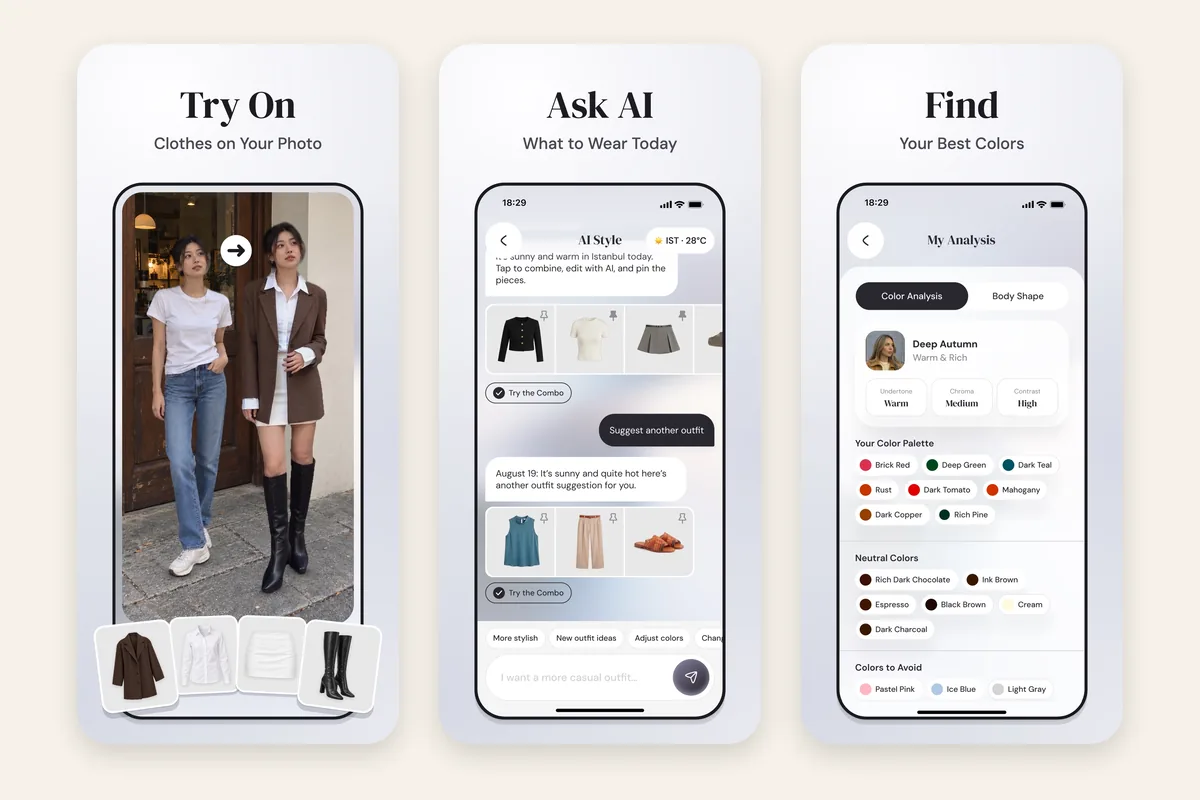
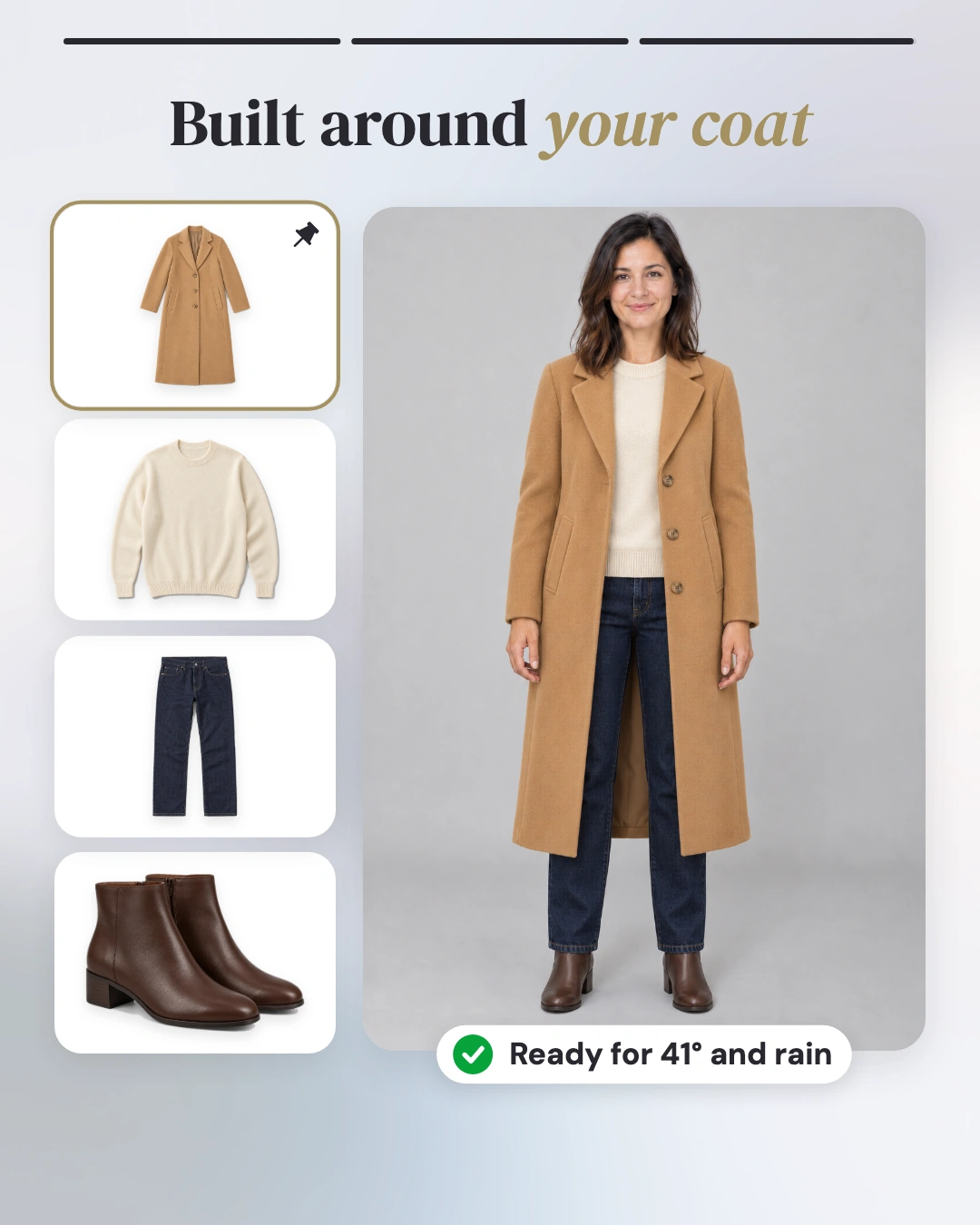
Wdrobe combines a digital wardrobe, AI outfit suggestions and virtual try-on. You upload a photo of yourself, and the app shows suggested outfits, or any new item you are considering, on you rather than as a pile of product shots.


What it does as a stylist:
- Colour analysis from your photo, showing which shades tend to suit you.
- Body shape analysis from one full-body photo, with advice on cuts, hems and necklines. The stylist uses it, along with your colouring, when it builds outfits.
- Weather-aware outfit ideas built from your wardrobe, for the day you choose, around a piece you pin or an occasion you type in.
- Try-on of any clothing image, including shop photos and Pinterest looks, so inspiration can be tested on you.
- An outfit planner for the days and events ahead.
It runs on iPhone and Android.
Choose it if: you find it hard to picture how an outfit will look on your body, or you want a styling second opinion before buying. Skip it if: you only want a list of what you own.
2. Alta: best for daily outfits on an avatar
Alta builds an outfit for you each day using your closet, your local weather and your calendar. Suggested outfits appear on an avatar created from your photo, not on the photo itself.
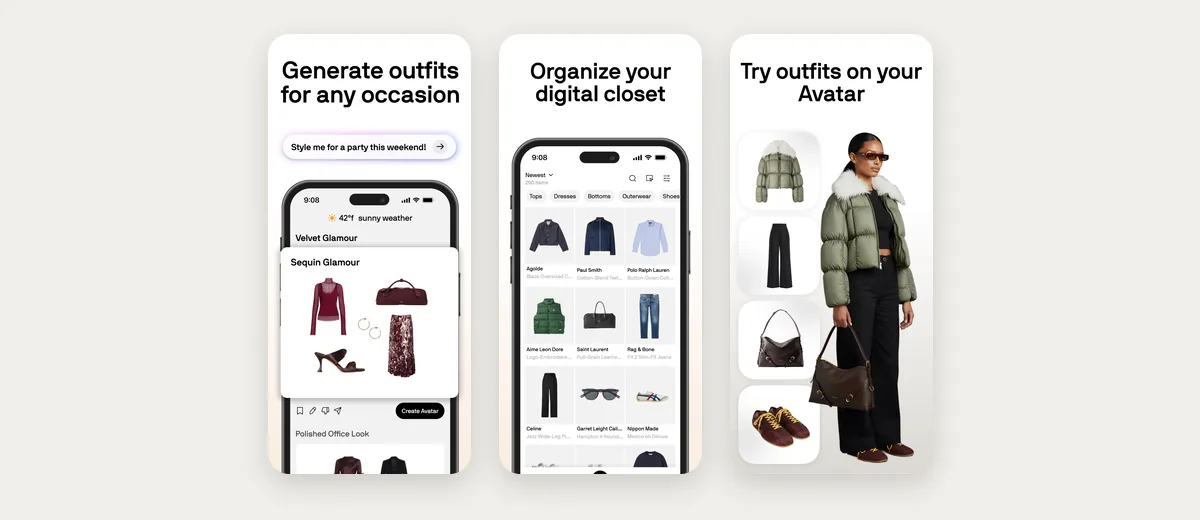
It earns money from shopping recommendations, so expect it to suggest new pieces as well as what you own. If you are moving away from it, our guide to Alta Daily alternatives sets six apps against it.
Choose it if: you want a daily outfit picked for you and do not mind an avatar instead of your own photo. Skip it if: you are using a styling app to shop less.
Advice you cannot picture is hard to act on. A stylist telling you to try olive with navy helps far more when you can see your olive with your navy. See the suggestion before you take it.
3. Acloset: best for chatting with an AI stylist
Acloset's AI stylist answers questions about your wardrobe, and its outfit suggestions take weather and your calendar into account.
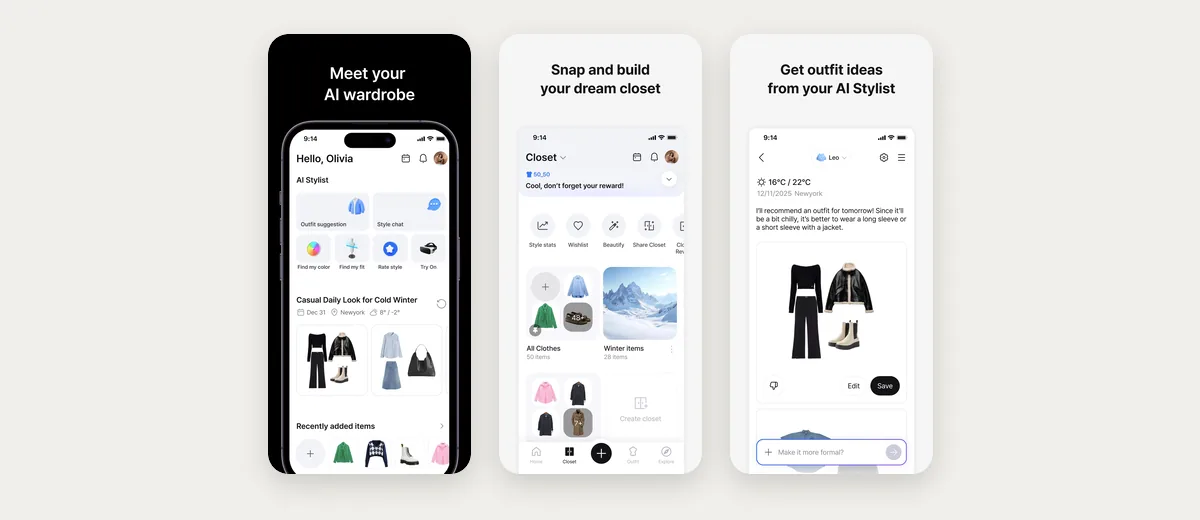
Its suggested outfits are shown as collages, so you still have to picture them on yourself. Its website also describes a try-on, but it puts chosen clothes on an AI avatar made from your photo, not on the photo itself.
Choose it if: you like asking questions and getting answers based on your own clothes. Skip it if: you want its suggested outfits shown on your own body.
4. Indyx: best if you also want a human stylist
Indyx is a wardrobe organiser first. Its styling comes from people: you can book sessions with human stylists who work from your catalogued closet. The app itself has no AI stylist.
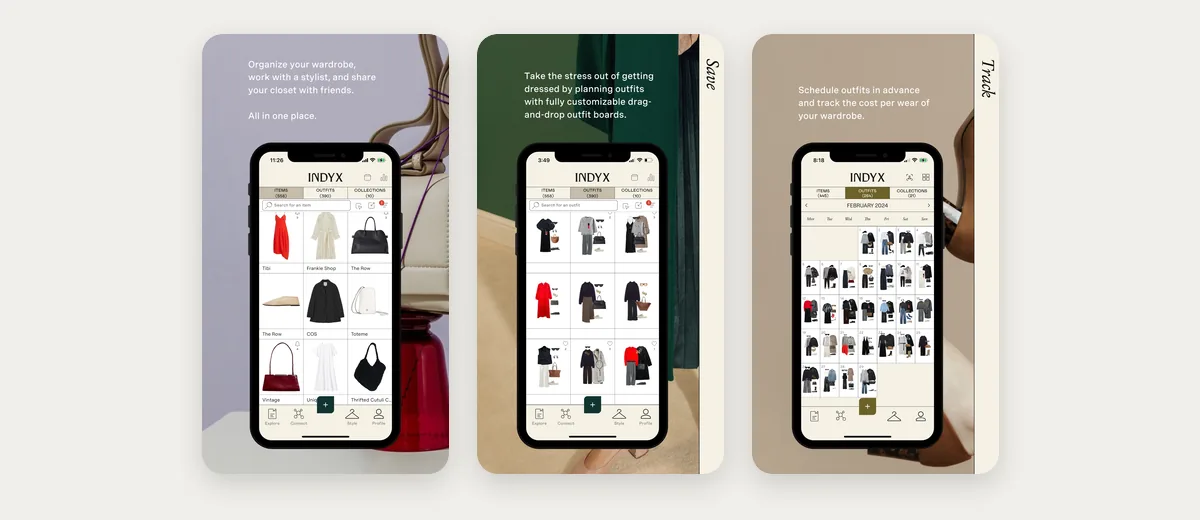
Choose it if: you want expert advice from a person, with an app to keep it organised. Skip it if: you want the app itself to do the styling.
5. Whering: best organiser with light styling help
Whering runs on iPhone, Android and the web. Its styling tools are lighter than the apps above: a shuffle that mixes your items, a planner, and a community where friends can style you.
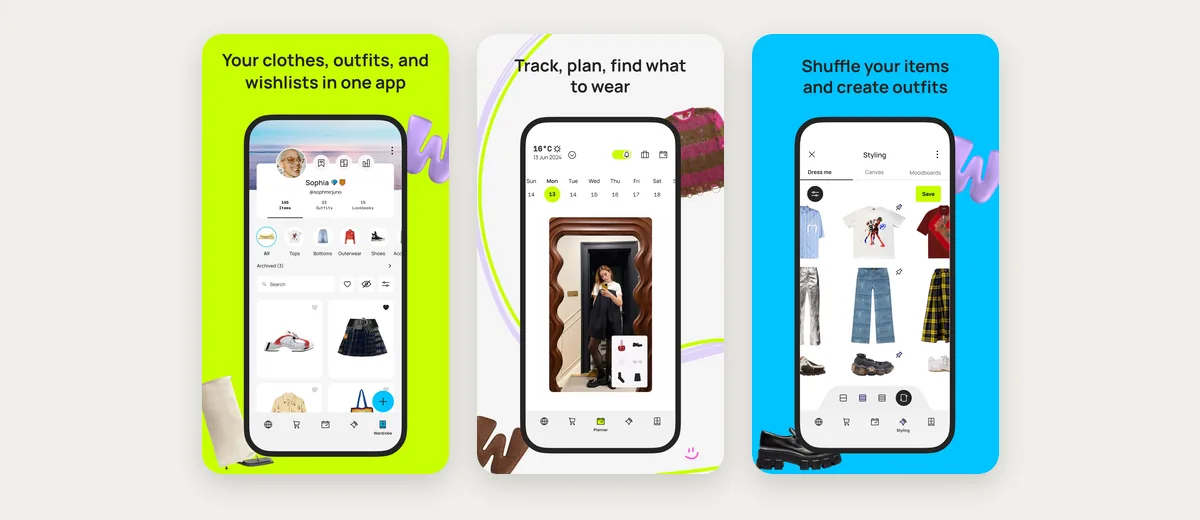
Choose it if: you are happy doing most of the styling yourself. Skip it if: you want suggestions that know your body or colouring, or outfits shown on you.
6. Stylebook: best for manual control, no AI stylist
Stylebook is not an AI stylist. It is a detailed iPhone app for building outfits by hand, logging what you wear on a calendar, making packing lists and tracking cost per wear. It is here because some people searching for a styling app want records rather than suggestions.
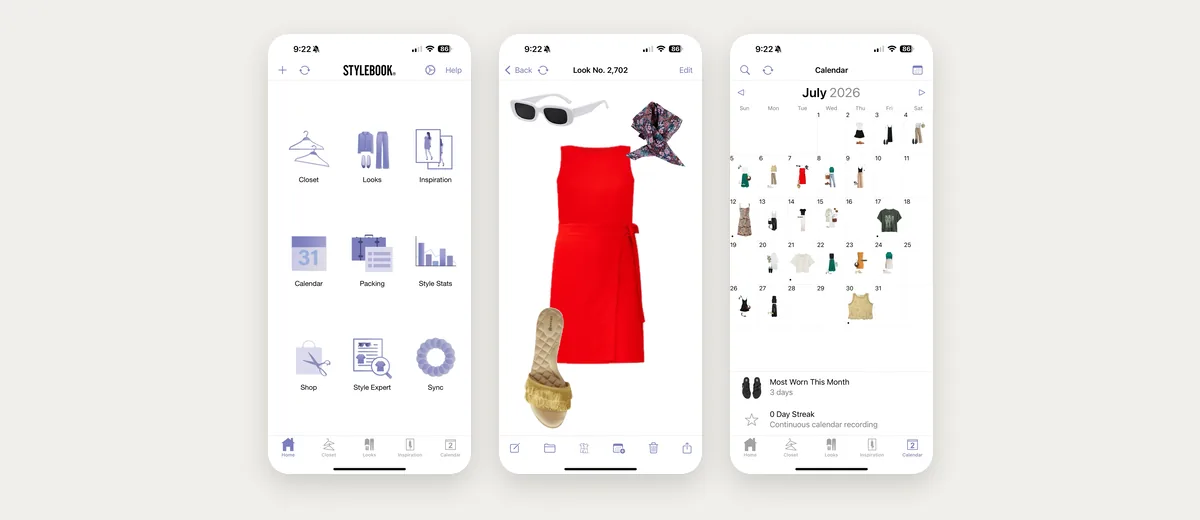
Choose it if: you enjoy styling yourself and want good statistics. Skip it if: you use Android or want the app to make choices for you.
7. ChatGPT: best for general style questions, not daily outfits
ChatGPT belongs on this list now because it is where a lot of people actually ask styling questions. It can name a style from a photo you share, pull out the details that make it work, explain why a combination reads formal or casual, and point you towards pieces to look for. For "what is this aesthetic called" or "what shoes go with a slip dress", it is genuinely good.
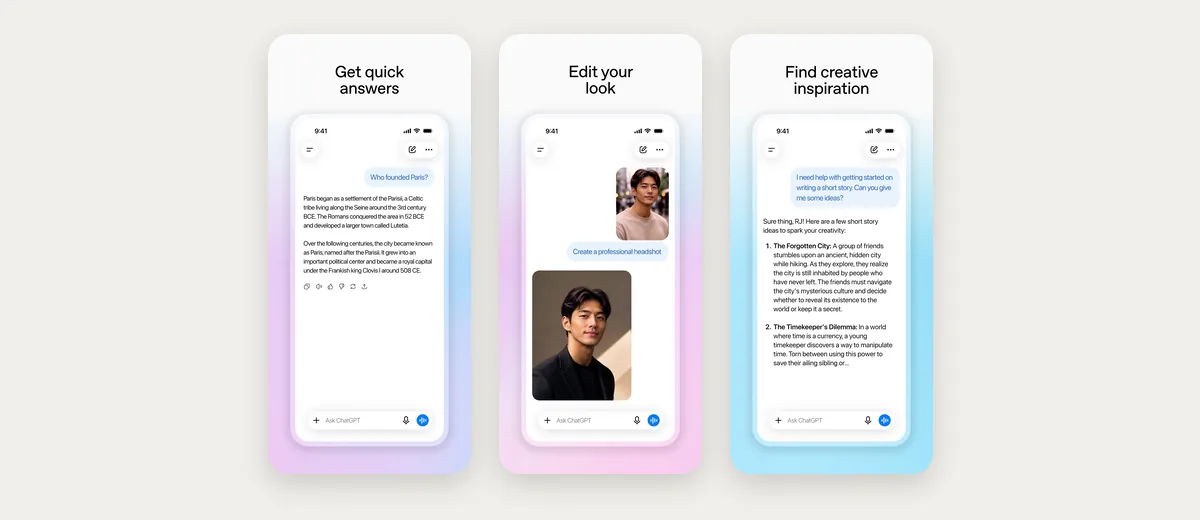
The gap is everything that has to persist. A styling app keeps your clothes on file; a chat does not. That difference shows up in four places:
- It does not know what you own. It keeps no photos of your clothes, so you describe your wardrobe again, or you accept advice about clothes you may not have.
- It cannot show the outfit on you. It can try one shop item or uploaded photo on your selfie, but not an outfit built from clothes you own.
- It points outward, not inward. Its styling suggestions tend to end in products to go and find. A wardrobe app's job is the opposite: use what is already hanging up.
- It has no standing context. With memory on it can recall things you tell it, but it keeps no colour season result, does not check tomorrow's weather for you and does not plan next Thursday's dinner from your clothes.
Many people end up using both, and that is a reasonable setup: a chatbot for broad questions and shopping research, a styling app for getting dressed on a Tuesday. If you want the longer comparison, see ChatGPT as a personal stylist.
Choose it if: your questions are about style in general rather than your own closet. Skip it if: you want an outfit for tomorrow built from clothes you already have.
Two more apps on other lists: Style DNA and Stitch Fix
Many lists of AI stylist apps also name these two. They get a short entry here because each is built around something else first: Style DNA around a style profile, Stitch Fix around sending you new clothes.
Style DNA builds a profile from a selfie: a colour type from 12 seasons, a body type guide and a style type. It also suggests five outfits a day from clothes you add, and has a chat stylist. Its listing does not describe outfits shown on your own photo or suggestions that use your weather, and its shopping picks come from partner retailers.
Stitch Fix is a styling service rather than a wardrobe app. A human stylist picks new clothes for you and sends them in a box, and you keep what you like and send back the rest. Its app adds a chat with a stylist and an AI tool that shows you in new outfits. Both the box and those outfits are built from clothes it sells, not from the wardrobe you already own.
Wdrobe works the other way round: it starts from the clothes already in your wardrobe and lets you see a new piece on your own photo before you buy it.
AI stylist or human stylist?
A human stylist is the better call for a one-off job: a wedding, a new job, or a big clear-out where someone needs to see you in person and shop with you. Indyx lets you book a session with one, and Stitch Fix sends you pieces a stylist chose.
Online, the human route is usually sold as a virtual styling service: a video style consultation, a lookbook of outfits a stylist puts together for you, or a box of new pieces. An AI styling app gives you personalised outfit recommendations the self-serve way, with nothing to book and outfits built from clothes you already own. In Wdrobe, the outfits you save build up into your own lookbook, and you can see any of them on your photo.
An AI stylist is better at the part a person cannot do for you every day. It is there each morning, it knows every piece you have added, and it checks the weather before it suggests a coat. Wdrobe is that kind of stylist: it knows your wardrobe and your colouring.
Plenty of people use both: one session with a person to set a direction, then an app to get dressed from it for the rest of the year.
How to choose the right styling app
Pick based on the problem you have most often:
- "I have nothing to wear" despite a full closet: Wdrobe, which builds outfits from what you own and shows them on you. Alta and Acloset also suggest from your closet, on an avatar or as collages.
- "I can't tell how this will look on me": Wdrobe, for outfits and new pieces on your own photo.
- "I don't know what suits me": Wdrobe or Acloset for colour analysis, Style DNA for a profile that adds a style type, or an Indyx human stylist for a full opinion.
- "I want new clothes picked for me": Wdrobe if you want to try a piece from any shop on your own photo, next to clothes you own, before you buy. Stitch Fix if you would rather a stylist chose the pieces and sent them.
- "I want simple organising": Whering.
- "I want control and data": Stylebook on iPhone.
A few situations come up often enough to name on their own:
- "I'm new to styling apps": Wdrobe or Alta, because the app does the styling and your only job is adding clothes. Start with the fifteen-piece test below, not your whole wardrobe. Stylebook suits people who already know exactly what they like.
- "I'm busy and dress for work": Wdrobe. Type the occasion, such as a client meeting on Thursday, and it builds the outfit from your clothes for that day's weather, while the planner lines up the rest of the week. Alta also plans around your calendar.
- "I'm tall, plus-size or big and tall": Wdrobe, because its body shape analysis gives advice on cuts, hems and necklines for your proportions, and its try-on shows the outfit on your own photo rather than on a standard model. Treat that as a preview of the look, not a promise about fit, and still check the size chart before you buy.
- "I hate shopping" or "I want to shop less": Wdrobe, which styles the clothes you already own first and lets you try a new piece on your photo before you buy it. Alta also suggests new pieces to buy, and Stitch Fix is built around sending you new clothes.
- "I want a seasonal wardrobe refresh": Wdrobe. Its colour analysis tells you which shades to look for, its outfit ideas follow the weather as the season turns, and you can try a shop photo on yourself before anything new comes home.
- "I need outfits for several days or a trip": Wdrobe's planner, which puts outfits on the days ahead with the forecast for each one. Stylebook also makes packing lists.
- "I want to give someone a style makeover": a session with a human stylist is the classic gift, because a makeover is a one-off job, and Indyx lets you book one. If you give an app instead, give the setup too: an evening together photographing their fifteen most-worn pieces.
Fifteen pieces is enough to separate these. Photograph your most-worn fifteen and the differences show up immediately. Try it with fifteen.
Test two apps with fifteen items
Before moving your whole wardrobe, add the same fifteen pieces to two apps: five tops, four bottoms, two layers, three pairs of shoes and a bag. Then ask each one for:
- an outfit for tomorrow's weather;
- a work or smart-casual outfit; and
- a weekend outfit using your least-worn item.
Keep the app whose suggestions you would actually wear. Also notice how long setup took and how many photos needed fixing, because an app you never finish filling in cannot style anything.
Three misses tend to show up in this test, and each one tells you something about the app:
- A wool coat on a warm day. The stylist is not reading your weather.
- The same top in every outfit. It is leaning on a few pieces instead of all fifteen.
- A pairing that looks fine as a flat lay and wrong on you. That is usually length or proportion, which a collage cannot show.
Are styling apps safe with your photos?
Most styling apps store photos of your clothes, and apps with try-on or colour analysis also store photos of you. Before uploading, check whether photos are kept after processing, whether they are used to train AI models, and how to delete your account and data. Use a photo in everyday, fitted clothing. No app here needs anything more revealing.
Frequently asked questions
What is the best AI styling app?
Wdrobe is the best AI styling app for seeing outfits on your own photo, and Alta suits people who want daily outfit ideas on an avatar. Acloset suits people who want to chat with an AI about their closet.
Which AI is best for style advice?
For advice about your own clothes, a styling app such as Wdrobe is the better pick: it keeps your wardrobe and your colouring on file, checks your weather and can show the outfit on your photo. ChatGPT can answer general questions, such as what an aesthetic is called, but it keeps no record of the clothes you own.
Which AI stylist app shows outfits on me?
Wdrobe shows suggested outfits on your own photo. Alta and Acloset both use an AI avatar generated from your photo, so you see a made-up figure rather than yourself, and Whering and Stylebook show collages.
Do AI stylist apps work for men?
Yes. Wdrobe, Alta, Acloset, Whering and Indyx all work with any wardrobe. Suggestions depend on the clothes you add, not on gender.
Can a styling app tell me what colours suit me?
Wdrobe and Acloset both offer colour analysis from a photo. Take the photo in natural daylight without heavy makeup or filters, since lighting changes the result more than anything else.
What makes one AI stylist better than another?
Context and visibility. The best stylist uses your weather, lets you build around a piece you want to wear, and shows the result on your own body so you can judge it. Test any app with fifteen items first.
If organising comes before styling for you, see the best closet organization apps, and if seeing clothes on your body is the main thing, compare the best virtual try-on apps.
Most styling apps hand you an outfit as a grid of product photos, and you still have to imagine it on yourself. Wdrobe shows the suggestion on your own photo, so you can tell in a second whether the navy knit and the wide trousers actually work on you. Try the advice on your own clothes and ask it to style tomorrow's outfit from what is already in your wardrobe.